TCAS Training — Course 09 · 3D
3D Model to iPad Augmented Reality
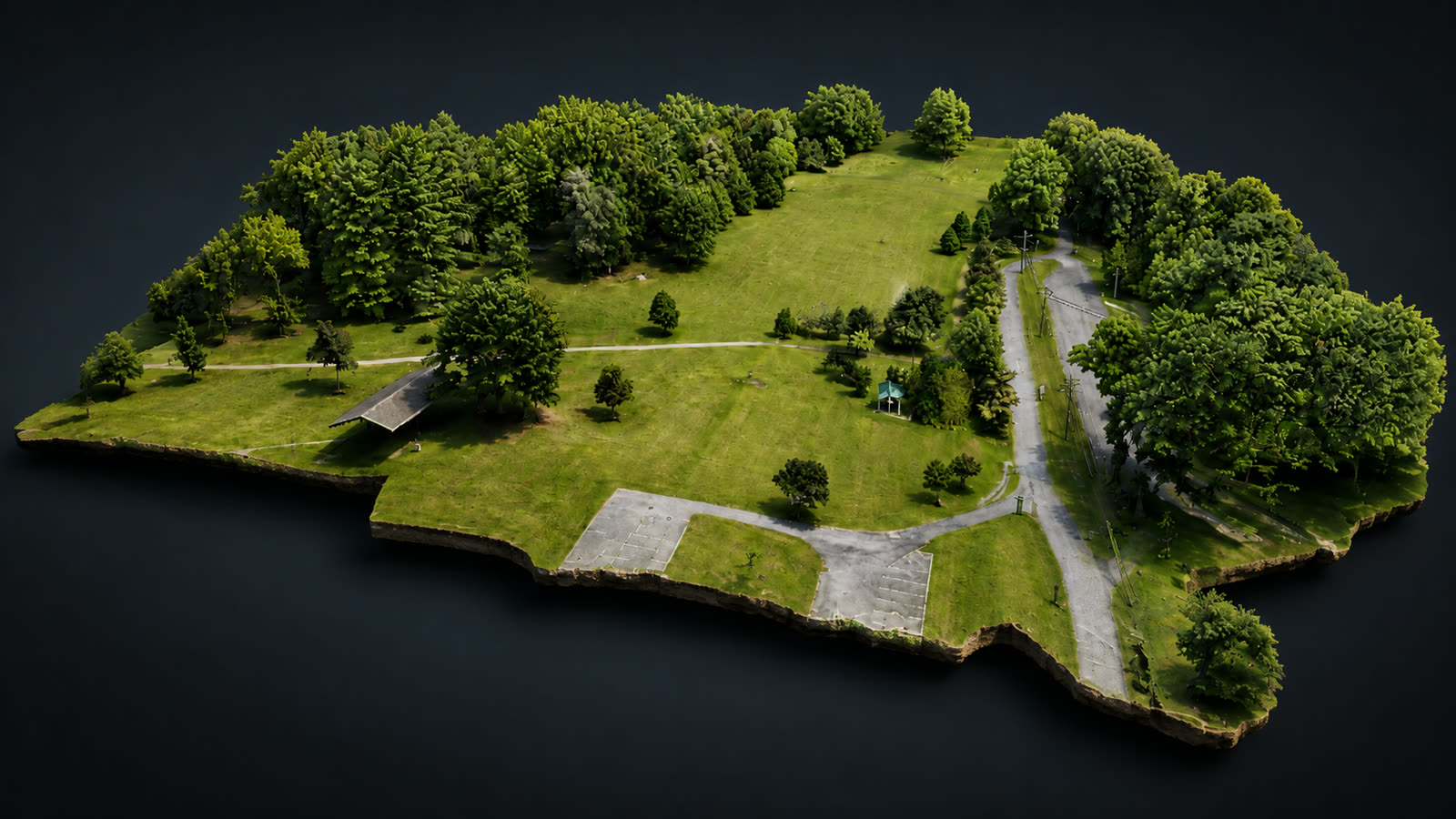
Terra OBJ to Blender to a USDZ a client can open and walk around on an iPad.
Included in the Professional 3D Delivery System — $499 ($695 individually), and in the Complete Mastery System ($799 introductory).
Prelaunch: online checkout is not open yet. The complete 15-course Rev. 3 curriculum is written and finalized — join the launch list and we will email enrollment details, pricing confirmation, and availability the moment it opens.
What You Will Produce
A textured USDZ AR file, built from a GLB master, that opens on an iPad or iPhone in Files, Quick Look, and AR.
Who This Is For
- Operators who present to owners, boards, and committees
- Pilots looking for a genuine differentiator in a pitch
Prerequisites & Required Equipment
- Course 07 outputs (OBJ/MTL/textures)
- Blender installed
- An iPad or iPhone with AR support
What You Will Learn
- Importing Terra OBJ/MTL/textures into Blender and correcting orientation
- Saving a protected .blend before you modify anything
- Cropping with Edit Mode, Vertex Select, Top View, Wireframe, Box Select, Delete Vertices
- Scaling job-specifically, then Apply Scale
- Origin to Geometry, Cursor to World Origin, Selection to Cursor
- Exporting the GLB master, then USDZ with the correct mesh, material, and texture settings
- Verifying the multi-megabyte textured file on iPad via Apple Files, Quick Look, and AR
- Delivering AR files to a client who has never used AR
Hands-On Assignment
Convert your reconstruction to a GLB master and a USDZ, then open and present it on an iPad in Quick Look and AR.
Required Final Deliverable / Success Criteria
- Model opens on device at the intended scale and orientation
- Textures survive the USDZ export and display on device
- Delivery instructions written for a non-technical client
Planned Course Materials
The complete 15-course Rev. 3 curriculum is written and finalized. Online delivery, downloads, and checkout are being set up now — course files are not downloadable today. Join the launch list and we will email you when enrollment opens.
- Structured workflow training manual (Rev. 3 curriculum — written and finalized, delivered at launch)
- Exact verified reference settings, clearly separated from job-dependent decisions
- Printable field or processing checklist (delivered at launch)
- Project-folder template with the TCAS naming convention (delivered at launch)
- QA pass/fail release criteria for the final deliverable
- Troubleshooting notes from real failures on completed TCAS workflows
- AR presentation run-sheet
Secure card checkout through Square is being connected. Until it is live, submit an enrollment request and TCAS will reserve your seat and send a payment link.
Paid courses can include a TCAS Certificate of Completion. It is a course-completion credential documenting the workflow you finished and the deliverable you produced — it is not an FAA certificate, surveying license, engineering credential, or any regulatory or professional certification.
An RTK FIX status alone is not proof of validated absolute accuracy. Projects that require survey-grade or control-based accuracy need appropriate ground control, independent validation, and licensed professionals where legally required. Students are taught to distinguish visualization and photogrammetry products from products that require validated survey control or licensed professional sign-off.
TCAS training is independent professional-development training and is not affiliated with or endorsed by the FAA, DJI, QGIS, Blender, Cesium, Apple, or other manufacturers, software providers, or professional licensing boards unless expressly stated. Completion does not grant an FAA certificate, surveying license, engineering credential, or other professional license.